OPPO Installation Notes
Common prompts when installing non-app-store APKs on OPPO devices — not security-reviewed, not-filed-with-regulator warnings — and how to handle them.
When installing a non-app-store APK on an OPPO device, ColorOS shows prompts such as "not security-reviewed" or "not filed with regulator". This page covers the common cases; read it alongside Android installation steps.
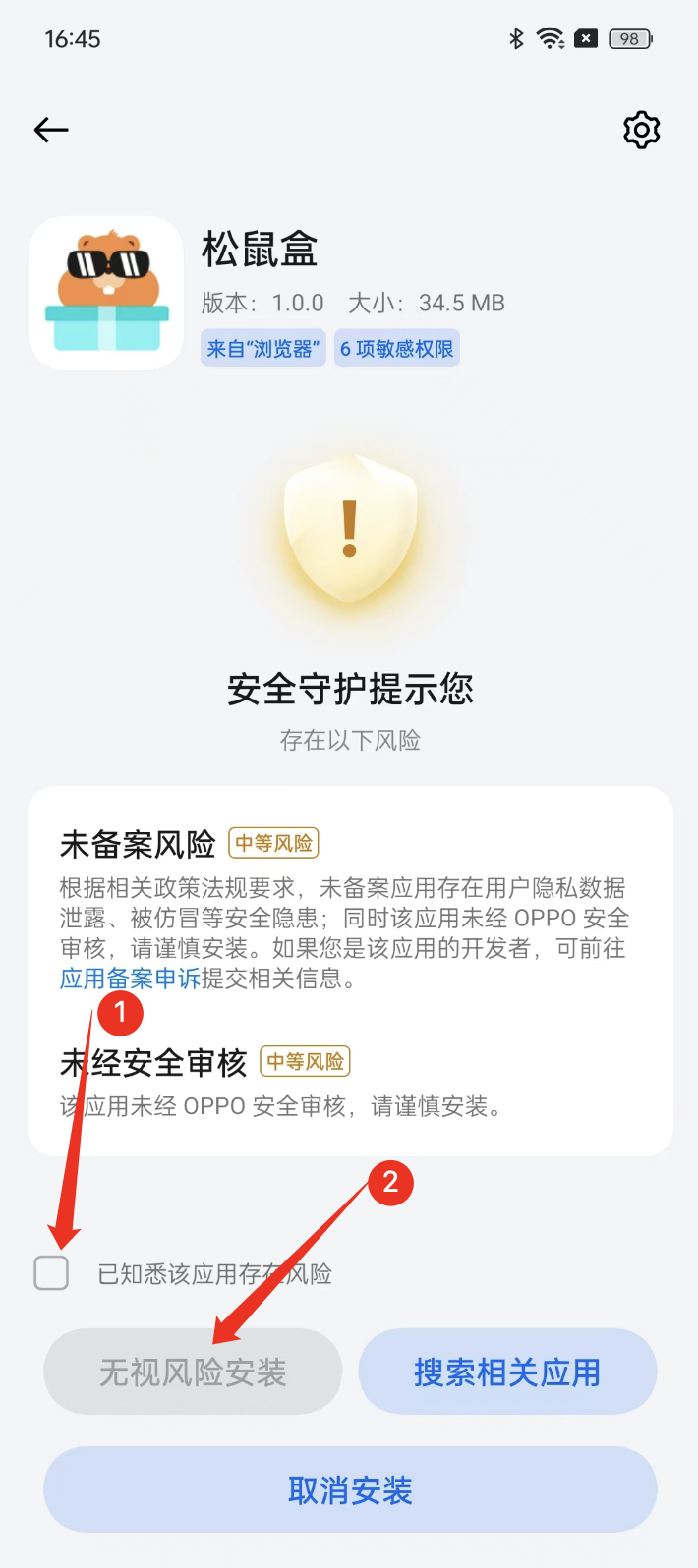
"Not Reviewed by OPPO Security" Prompt
If you see Not reviewed by OPPO security — install with caution, tick I understand this app poses risks and tap Install anyway.
Other Safety Prompts
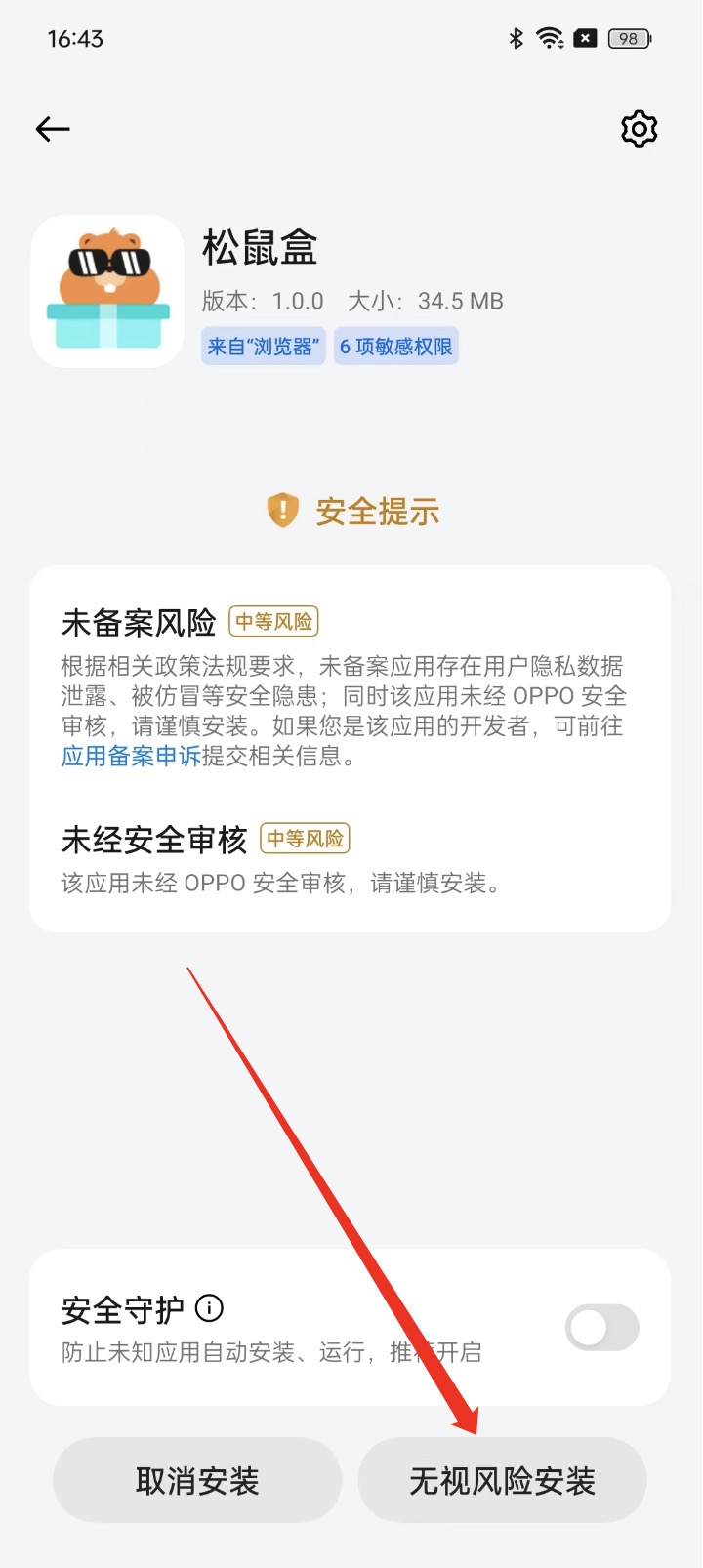
For similar prompts such as Not reviewed by OPPO security or Not-filed-with-regulator risk, tap Install anyway as well.
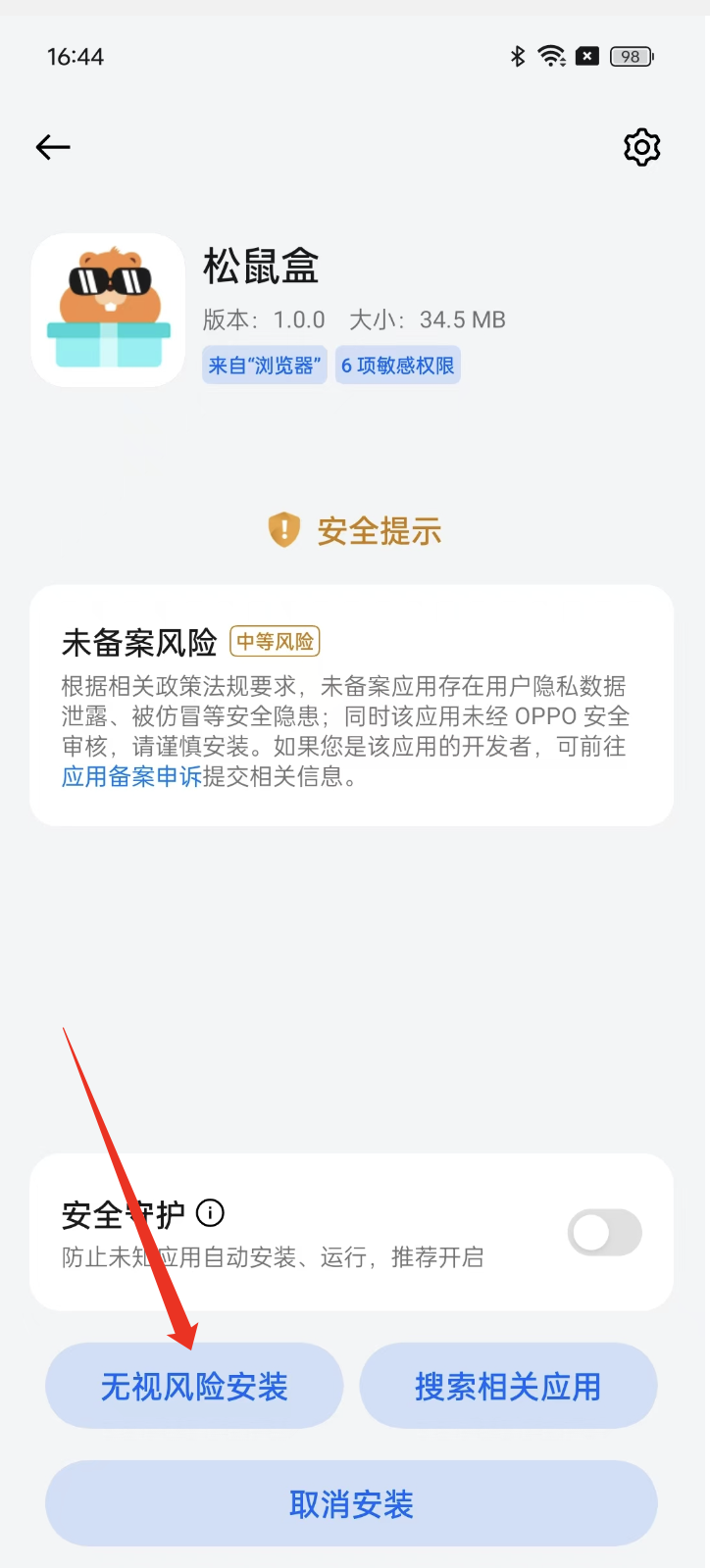
Not-Filed-With-Regulator Warning
If the install dialog warns that the app has not been filed with the regulator, tap Install anyway to continue.
Xiaomi / Redmi Installation Notes
Common issues when installing non-Mi-Store APKs on Xiaomi and Redmi devices — Security Center blocking, risk warnings, unreviewed prompts, and store recommendations — with fixes for each.
vivo Installation Notes
Common prompts when installing non-app-store APKs on vivo devices — not security-reviewed and not manually tested by vivo — and how to handle them.