vivo Installation Notes
Common prompts when installing non-app-store APKs on vivo devices — not security-reviewed and not manually tested by vivo — and how to handle them.
When installing a non-app-store APK on a vivo device, the system shows prompts such as "not security-reviewed" or "not manually tested by vivo". This page covers the common cases; read it alongside Android installation steps.
"Not Reviewed by vivo Security" Prompt
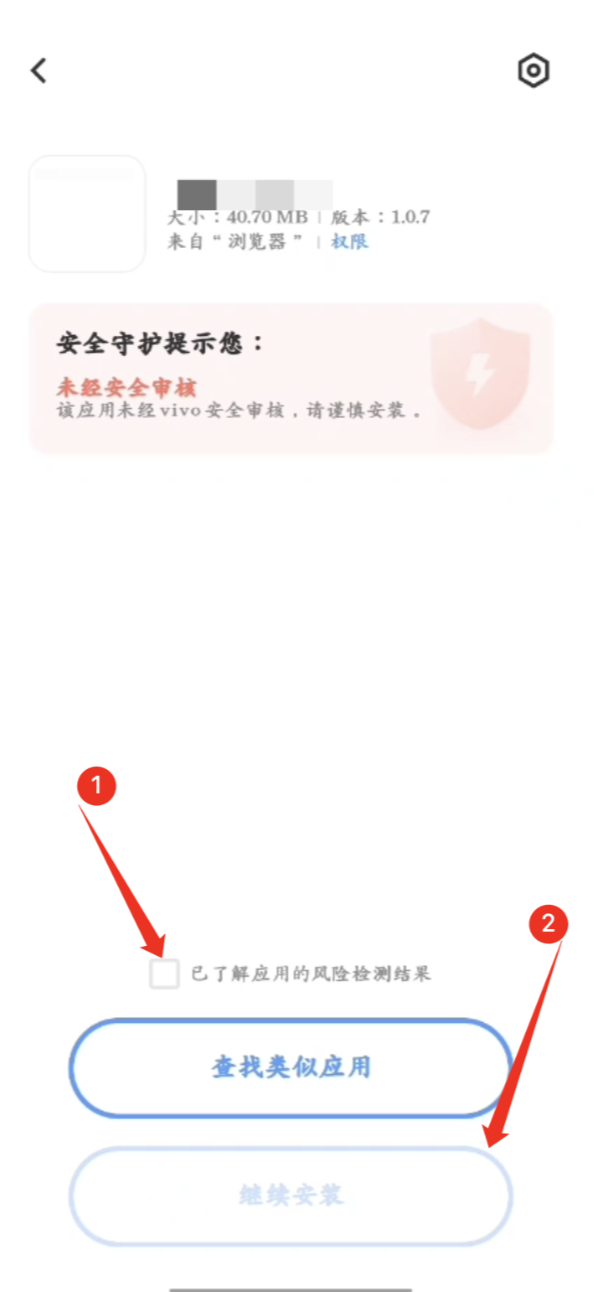
If you see Not reviewed by vivo security — install with caution, tick I understand the risk-scan result and tap Continue to install.
"Not Manually Tested by vivo" Prompt
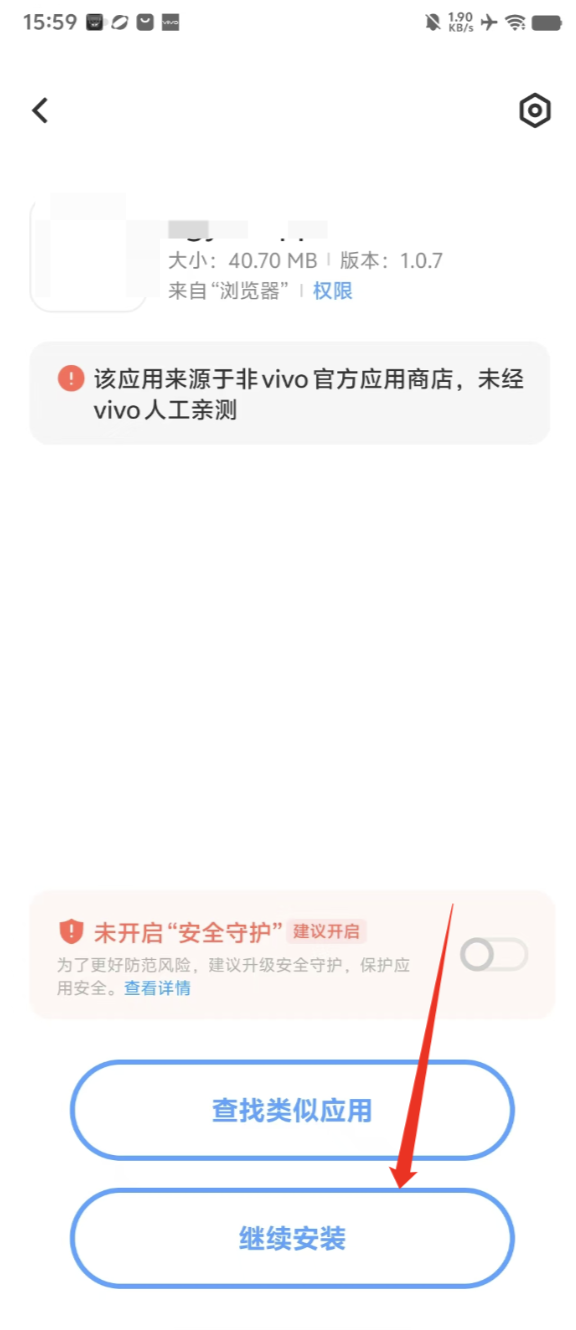
If the system says This app comes from outside the vivo App Store and has not been manually tested by vivo, tap Continue to install.
OPPO Installation Notes
Common prompts when installing non-app-store APKs on OPPO devices — not security-reviewed, not-filed-with-regulator warnings — and how to handle them.
Merge with an App Store App
Combine an Android app on Pgyer with its App Store counterpart and show the matching platform from one install page.